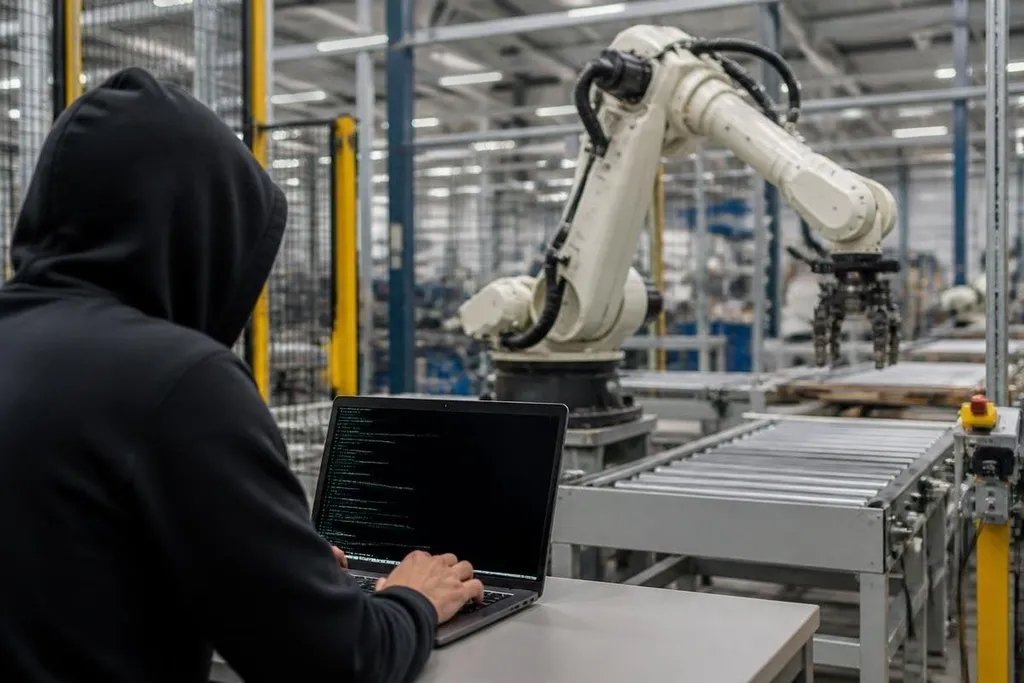
A hacked robot can stop a production line, expose camera feeds, or move in ways its operator didn't request. The damage depends on which part of the robot's control chain an attacker reaches, from a cloud account to the motor controller.
- A stolen account can give access to fleet software without touching the robot itself.
- A changed safety setting can affect how the robot moves, stops, or reports faults.
- Recovery may require physical checks, software repair, and a review of every connected machine.
The first target may not be the robot
Most robots connect to more than one system. A mobile robot may talk to a fleet manager over a wireless network. An industrial arm may receive programs from a plant computer. A service robot may send logs and video to a remote server.
That creates several places where an attacker can get in. A weak password, an unpatched server, a stolen maintenance laptop, or a badly protected remote connection can give access without changing the robot's hardware.
The first visible sign may be a stopped task. The deeper problem could be altered software, copied data, or a hidden account that still works after the robot restarts.
What the attacker can do
Access does not always mean full control. A person who gets into a robot network may first read status data, camera feeds, maps, job schedules, or maintenance records. That information can reveal how a site operates and where people work.
More control creates more risk. An attacker might change a route, send the robot to the wrong area, alter a work order, or block an emergency notification. On an industrial arm, a changed program could affect the arm's path or the timing of a task.
Safety systems can limit some commands. A physical emergency stop, a guarded work area, or a controller that checks motion limits may still stop the robot. Those protections matter, but they don't repair stolen data or a damaged production schedule.
A stolen login matters when it can move an arm or send a mobile robot into a work area. Robot24 can connect that software breach to the machine and safety control involved before the next section looks at physical harm.
Why physical risk changes the response
A laptop under attack can lose files. The robot can also move, carry, cut, weld, lift, or open a path through a work area. The danger depends on the robot's force, speed, tools, surroundings, and the people nearby.
That does not mean every cyberattack turns a robot into an uncontrolled machine. Many attacks cause a shutdown or loss of access instead.
A robot that cannot receive a job may be safer than one that keeps working with bad instructions, but the site still needs to check what happened before restarting it.
The response should start by containing the affected system. Disconnecting a robot from a network may stop remote commands, but cutting power can also remove useful logs or leave a load in an unsafe position. Operators need a site procedure that covers both cases.
Recovery needs more than a password reset
A password change fixes one door. It does not show whether someone entered, changed a program, copied data, or added another route back in.
Teams should preserve logs from the robot, fleet manager, network, and account system before wiping machines. They should compare current programs and settings with known approved versions. Any robot that shared the same account, server, or network should receive the same review.
The maker may need to supply clean software, controller checks, or a recovery process. Operators also need to test motion in a controlled area before the robot returns to normal work. That test should cover the task that failed and the safety stops that protect people nearby.
A practical response checklist
Use this order when a robot behaves in a way nobody approved:
- Stop the task safely, using the site's emergency procedure if people or equipment face immediate danger.
- Record the time, robot ID, operator account, visible fault, and last approved job.
- Isolate the robot or its control server without destroying logs needed for review.
- Change exposed accounts and remove unknown remote sessions, keys, or users.
- Compare programs, routes, firmware, and safety settings with approved copies.
- Run a supervised test before returning the robot to production.
The checklist works best when written before an incident. Assigning who can isolate a robot, who contacts the maker, and who approves a restart removes delay during a real outage.
For buyers and plant managers, the useful questions come before purchase: Can the robot run on a separated network? Are software updates signed? Can operators remove remote access? Does the maker explain log storage, account roles, and recovery steps?
I'd skip any robot that requires permanent remote access without a clear way to shut that access off.
A robot remains a physical system after a cyberattack, so recovery ends only when its software, connections, motion, and work area have all been checked. The open question for each deployment is specific: who can stop the machine when the person controlling it is no longer authorized?